Ansible win_get_url Module: Download Files on Windows Hosts (Guide)
By Luca Berton · Published 2024-01-01 · Category: installation
How to download files on Windows with Ansible win_get_url module. HTTP/HTTPS downloads, proxy support, checksum validation on Windows.
How to download a file in Windows-like systems with Ansible?
See also: Ansible troubleshooting - Module Failure on Windows-target
Ansible download a file in Windows-like systems
- ansible.windows.win_get_url
- Downloads file from HTTP, HTTPS, or FTP to node
win_get_url.
The full name is ansible.windows.win_get_url, which means that is part of the collection of modules of Ansible to interact with Windows nodes.
It downloads files from HTTP, HTTPS, or FTP to node
For Linux targets, use the ansible.builtin.get_url Ansible module instead.
Parameters
urlstring - URLdeststring - pathforcestring - no/yeschecksum_algorithm,checksum,checksum_urlstring - checksum_algorithm, checksum, checksum_urlforce_basic_auth/url_username/url_password/use_gssapi- HTTP basic auth/GSSAPI-Kerberosheadersdictionary - custom HTTP headershttp_agentstring - "ansible-httpget"proxy_url,proxy_username,proxy_password,proxy_use_default_credential- proxy
win_get_url module.
The two required parameters are url and dest.
The url parameter specifies the URL of the resource you're going to download.
The dest parameter specifies the filesystem path where the resource is going to be saved on the target node.
Let's deep dive into the "force" parameter.
If "dest" is a file, Ansible is going to download every time the file. If "dest" is a directory the default behavior is not to replace a file, until you toggle to yes the force parameter.
The parameter "checksum" is very useful to validate the consistency of the downloaded file.
You could specify the algorithm under checksum_algorithm, default SHA1, and directly the checksum or the checksum URL checksum_url.
Another interesting parameter is "headers" which allows you to specify some custom HTTP headers.
Ansible presents himself as "ansible-httpget" in the web server logs, but you cust customize it in the "http_agent" parameter.
There are also additional parameters for the X509 authentication client certificate (.pfx).
Enterprise users could also specify the proxy settings parameters.
See also: Ansible 'Destination Does Not Exist' Error: Fix Path Issues
Links
## Playbook
How to download a file in Windows-like systems with Ansible Playbook.
code
---
- name: win_get_url module Playbook
  hosts: all
  become: false
  vars:
    myurl: "https://releases.ansible.com/ansible/ansible-2.9.25.tar.gz"
    mycrc: "https://releases.ansible.com/ansible/ansible-2.9.25.tar.gz.sha"
    mycrc_algorithm: "sha256"
    mydest: 'C:\Users\vagrant\Desktop\ansible-2.9.25.tar.gz'
  tasks:
    - name: download file
      ansible.windows.win_get_url:
        url: "{{ myurl }}"
        dest: "{{ mydest }}"
        checksum_algorithm: "{{ mycrc_algorithm }}"
        checksum_url: "{{ mycrc }}"
execution
ansible-pilot $ ansible-playbook -i virtualmachines/win/inventory download\ file/win_get_url.yml
PLAY [win_get_url module Playbook] ********************************************************************
TASK [Gathering Facts] ****************************************************************************
ok: [WindowsServer]
TASK [download file] ******************************************************************************
changed: [WindowsServer]
PLAY RECAP ****************************************************************************************
WindowsServer              : ok=2    changed=1    unreachable=0    failed=0    skipped=0    rescued=0    ignored=0
ansible-pilot $
idempotency
ansible-pilot $ ansible-playbook -i virtualmachines/win/inventory download\ file/win_get_url.yml
PLAY [win_get_url module Playbook] ********************************************************************
TASK [Gathering Facts] ****************************************************************************
ok: [WindowsServer]
TASK [download file] ******************************************************************************
ok: [WindowsServer]
PLAY RECAP ****************************************************************************************
WindowsServer              : ok=2    changed=0    unreachable=0    failed=0    skipped=0    rescued=0    ignored=0
ansible-pilot $
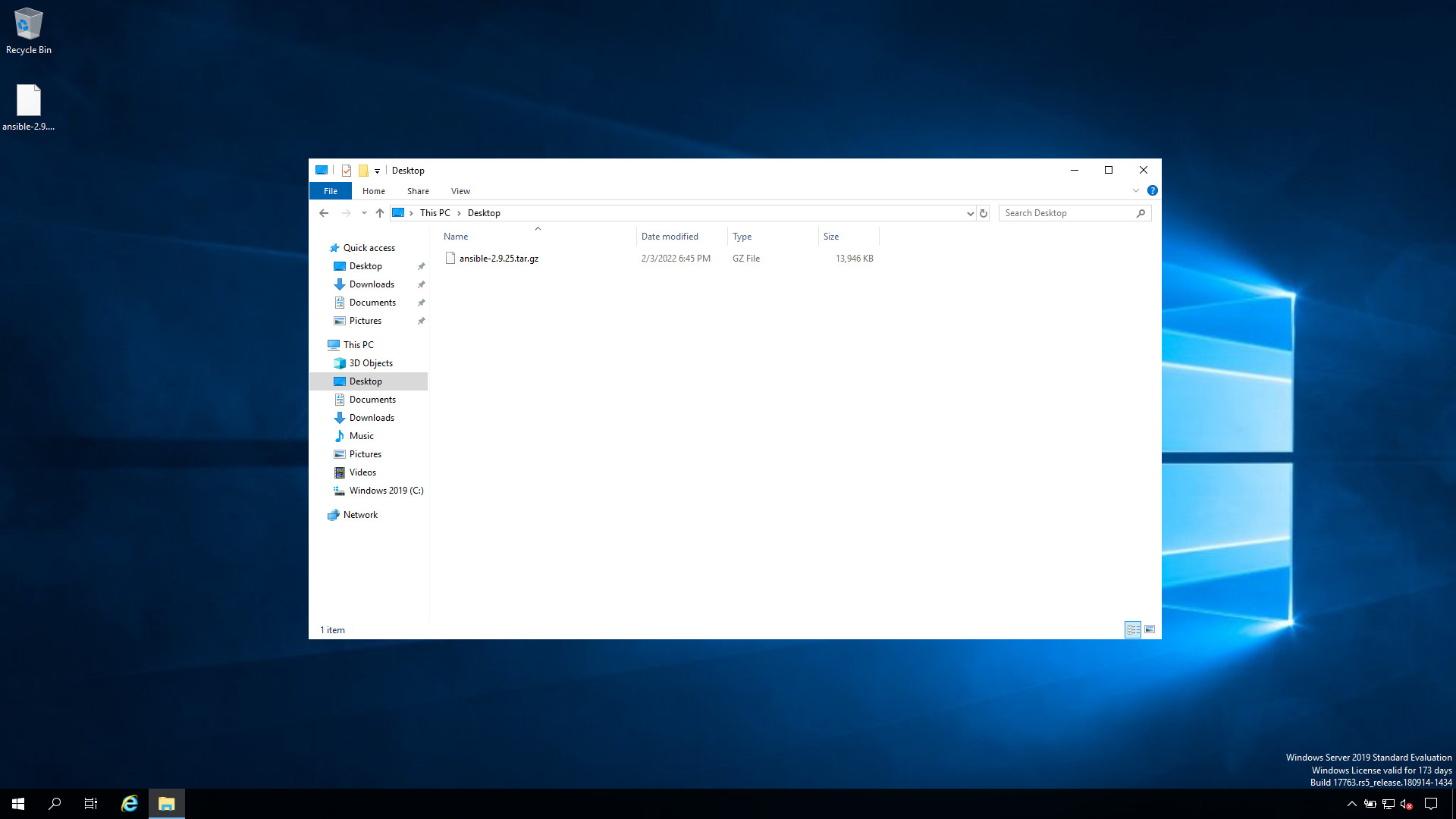
before execution

after execution
Download from a Protected URL (Basic Auth & Headers)
The prose above lists url_username/url_password and headers, but downloads from artifact repositories or private APIs are common enough to deserve a full example. Use force_basic_auth: true to send the credential on the first request (many servers do not prompt), and headers for tokens or a specific Accept type:
    - name: download from a protected URL
      ansible.windows.win_get_url:
        url: "https://artifacts.example.com/app/installer.msi"
        dest: 'C:\Temp\installer.msi'
        url_username: "{{ repo_user }}"
        url_password: "{{ repo_token }}"
        force_basic_auth: true
        headers:
          Accept: application/octet-stream
      no_log: true
Keep repo_user/repo_token in an encrypted Ansible Vault file and set no_log: true so the credential never appears in the task output.
See also: Ansible 'urlopen error' Fix: SSL, Proxy & Network Connection Issues
Re-download Behavior with force
By default, when dest is an existing file win_get_url still issues a conditional request and only re-downloads when the remote file changed (and the checksum, if given, does not match). Set force: false to skip the download entirely whenever the destination file already exists — useful for large installers you never need to refresh.
Conclusion
Now you know how to download a file in Windows-like systems with Ansible.Related Articles
Category: installation
Watch the video: Ansible win_get_url Module: Download Files on Windows Hosts (Guide) — Video Tutorial